

I know I’m preaching to the choir here — everyone understands that MFA is crucial.
But here’s the thing: there’s always that one small group, or even a single individual, who — for one reason or another — still hasn’t implemented it. And that’s where the real risk lies.
Hackers are constantly scanning for vulnerabilities, and chances are, they will find those gaps. I’m here to plead with you: make sure every user, every device, is fully covered.
Over the years, we’ve seen it time and again — one missed account, one incomplete installation — and it ends in disaster. Don’t let that weak link be the cause of your next breach.
When this happens, it is like leaving your house with the front door wide open.
Let’s break down why MFA matters, what it protects you from, and what happens when you ignore it.
What Is Multi-Factor Authentication?
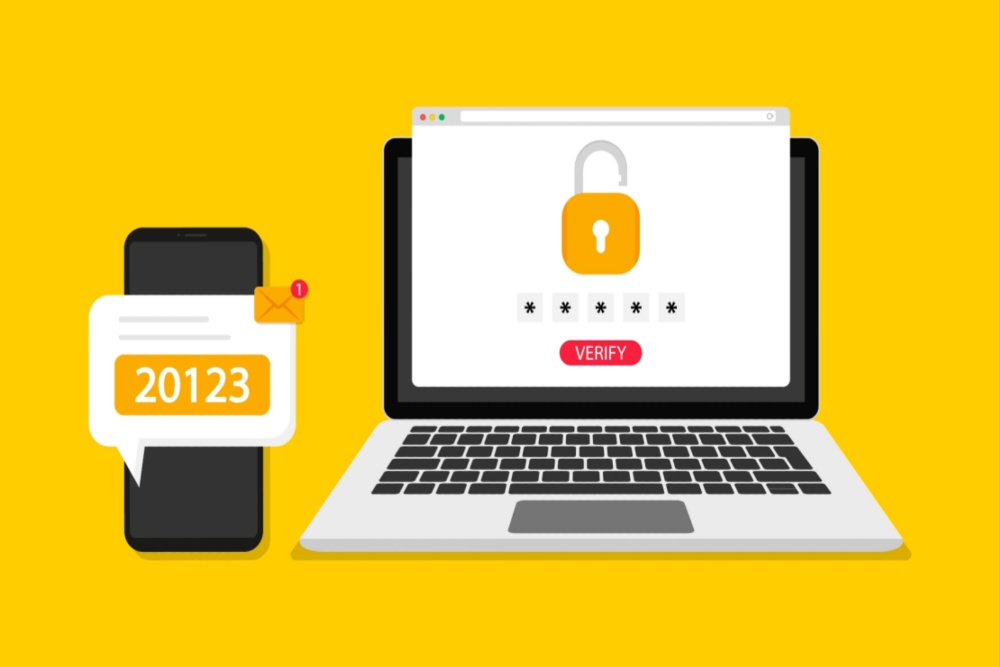
MFA is a security method that requires you to provide two or more verification factors to gain access to a system. Instead of relying on just a password (something you know), it adds another layer like:
- Something you have (your phone or a security token)
- Something you are (biometrics like fingerprints or face recognition)
Think of it like using both a key and a security badge to enter a building. If someone steals your key (password), they still can’t get in without the badge (second factor).
Why Passwords Alone Are No Longer Enough
Passwords are routinely compromised. They’re guessed, reused, phished, and leaked in data breaches. In fact:
- 80% of hacking-related breaches involve stolen or weak passwords.
- Billions of usernames and passwords are available on the dark web.
Even strong, unique passwords aren’t foolproof. A single phishing email or credential-stuffing attack can bypass them in seconds. That’s where MFA comes in.
What MFA Protects You From
Multi-Factor Authentication significantly reduces the risk of:
- Account Takeovers: Even if a cybercriminal has your password, they won’t be able to log in without your second factor.
- Phishing Attacks: Most phishing attempts rely on stealing login credentials. MFA breaks that chain.
- Business Email Compromise: A favorite tactic of cybercriminals is accessing an executive’s email account and impersonating them. MFA is a strong safeguard.
Microsoft has gone as far as saying that MFA blocks over 99% of automated attacks. That’s about as close as you can get to a silver bullet in cybersecurity.
Real-World Examples: The Price of Ignoring MFA
- A global nonprofit lost nearly $1 million when an attacker gained access to an executive’s email and rerouted a wire transfer. No MFA was in place.
- Twitter (now X) had a major breach in 2020, when attackers used social engineering to access internal tools. Some accounts affected didn’t have MFA enabled.
And it’s not just large organizations; small businesses, schools, and nonprofits are all targets.
What Happens If You Don’t Enable MFA?
You leave the door open for:
- Data theft
- Ransomware infections
- Financial fraud
- Damaged reputation
- Regulatory fines
In short: you’re betting that attackers will overlook you. But with automated tools scanning for low-hanging fruit, it’s a losing bet.
The Good News: MFA Is Easier Than Ever
Today, enabling MFA doesn’t have to be a tech project. Most platforms — Microsoft 365, Google Workspace, banking apps, and cloud services — offer built-in MFA options. You can use:
- A text message code (good)
- An authenticator app like Microsoft or Google Authenticator (better)
- A hardware security key like Yubikey (best)
For organizations, it’s also possible to enable MFA across the board using tools like Microsoft Entra ID or Google Admin Console.
Bottom Line
If you haven’t enabled MFA, now is the time. It’s one of the simplest, most effective actions you can take to secure your digital life or your organization’s data.
Ignore MFA at your own risk—because hackers certainly won’t!
Want to learn more? CGNET has provided services in IT consulting, cybersecurity, generative AI user training, and much more for over 4 decades. I would love to answer your questions! Please check out our website or drop me a line at g.*******@***et.com.


0 Comments